


★★★★☆
Good on the phone, better on the laptop
The savings goals section is the one that changed my behaviour. Seeing the gap close week by week does something.
test
"Honestly, it changed the way I organise everything. The part I use most is the expense tracking — I finally have a clear view of my budget, and the charts update on their own. The file arrived the moment I paid and I had it open in Drive within a minute."
— Hannah B., ManchesterYour life, your goals, your budget and your habits in one elegant file. Yours for good, on your phone and your computer.
Ends 31 October at 23:59, your time. On 1 November the bundle price goes back up and the Planner's price rises.
Couldn't load pickup availability
A weekly savings plan that adds itself up across the year.

What you get, straight away:
The Yearwise Planner is not just a spreadsheet. It is a complete life system built on Google Sheets, made to hold your goals, your tasks, your budget and your habits in one calm, organised place. Open it in the morning, plan your day, and watch your year take shape.
Whether you are running a business, studying, or simply building a steadier routine, Yearwise gives you a clear view of the whole year: an annual overview, quarterly goals, 12 months, 52 weeks and a detailed daily schedule.
Track what comes in, what goes out and what you keep, with charts that update themselves.
Start Here, Dashboard, Goals, Annual overview, Monthly calendar, Weekly, Daily, Tasks, Budget, Transactions, Savings and debts, Habit tracker, Meal planner with an automatic shopping list, Notes, the 52-week challenge and Settings.
As soon as your payment goes through, a Google Sheets link arrives straight away. Open it, copy the file to your own Google Drive, and it is yours to use and edit however you like.
Yes, a free Google account is enough to copy the file and use it. If you already use Gmail, you have one. Creating one takes a minute and costs nothing.
It does. The planner works on phone, tablet and computer. On a phone you use it through the free Google Sheets app, on a computer through any browser.
Yes. One payment, no subscription, no monthly fee. You buy the planner once and keep the file for good, updates included.
Every review below comes from a verified order.
4.8 / 5 · 180 reviewsGood on the phone, better on the laptop
The savings goals section is the one that changed my behaviour. Seeing the gap close week by week does something.
test
Everything in one file, at last
I am not a spreadsheet person and I still got it running the same evening. The instructions tab is genuinely useful rather than decorative.
test
Simple enough to keep using
It made me realise how much I was spending on subscriptions. That was uncomfortable and useful in equal measure.
test
Well thought out, not bloated
Watching the streak build up is the part that keeps me coming back. Small thing, but it is the reason I am still using it three months on.
test
Does the maths so I do not have to
Link arrived straight after payment, copied it to my Drive and I was in. No account to create, no subscription chasing me later.
test
Set up faster than I expected
The debts section gave me a repayment order that made sense. I had been guessing before.
test
Great for someone juggling a lot
Works fine in the Google Sheets app on Android. Slightly cramped on a small screen but perfectly usable.
test
The habit tracker is quietly addictive
I was juggling three apps and a paper diary. This replaced all of them and it works the same on my phone and my laptop.
test
The dashboard is the bit I use daily
One payment and it is mine. After three years of monthly app fees that alone was worth it.
test
Finally something I actually open every morning
Colour coding across the months makes patterns obvious. I could see my worst spending month at a glance.
test
Solid value for what it costs
I enter the numbers once and the charts just update. I can see where the money goes without building a single formula myself. Setup took me about four minutes.
test
Replaced three apps and a paper diary
I liked that I could delete the tabs I did not need without breaking the rest of the file.
test
I stopped losing track of bills
I bought it mostly for the budget and stayed for the habit tracker. Not what I expected to say.
test
Clear, calm and not overwhelming
Fifty-two weekly tabs sounds like overkill until you use it. I plan on Sunday evening and the week stops feeling like a pile of loose ends.
test
The 52-week challenge is a nice touch
Took me a week to work out which tabs I actually needed. Now I use the dashboard, the habits and the budget daily and ignore the rest.
test
Does one job and does it well
Support answered me the same day when I asked how to reset the year. Not something I expected at this price.
test
The automatic budget is the whole point
The weekly layout matches how I actually think about time, which is why I have kept using it.
test
First planner I have stuck with
What sold me was that everything is linked. Change something in the monthly tab and the yearly view catches up on its own.
test
Not pretty for the sake of it
The annual dashboard is what I show my partner when we do our monthly money conversation. It makes the whole thing less tense.
test
No learning curve to speak of
The transaction log is where I spend most of my time. Categories, filters, and totals that actually add up without me touching a formula.
test
The tabs link together properly
I use maybe half of it and it is still worth what I paid. The other half is there when I want it.
test
My spending finally makes sense
I have bought three planners before and abandoned all of them by February. This one lives in the tab next to my email, so I actually use it. The budget tab paid for the whole thing in the first month.
test
Better than the template I was using
It survived me being away for a fortnight and coming back to it, which is more than I can say for my old paper planner.
test
It fits how I already work
Straightforward, quick to load, and it has not broken once in three months of daily use.
test
Bought it on a whim, still using it
Being able to open it on my phone during the commute is what makes it stick. Same file, nothing to sync.
test
Took me one evening to set up properly
I have my goals, my money and my week in one place for the first time since university.
test
Instant download, no faff
The habit grid is the first thing I open. Everything else I check weekly.
test
The meal planner surprised me
The dark version is easy on the eyes late at night. I would have liked a few more chart options, but what is there is well thought out.
test
A planner that respects your time
I duplicate the file each year, which the instructions explain properly. No need to rebuy anything.
test
Honestly better than the paid apps
It does not try to be a productivity system with a philosophy attached. It is a well built file and that is exactly what I wanted.
test
My partner asked me to send the link
Set it up in an evening, adjusted the categories to how I actually spend, and it has needed almost nothing since.
test
The savings tab is the one I check most
The meal planner builds the shopping list for you. I did not think I would use it and now it saves me a trip most weeks.
test
Exactly what I was trying to build myself
I run a small business and I use it for personal planning only, but the transaction log would honestly cope with more.
test
Worth it for the weekly tabs alone
Nothing here is flashy and I mean that as a compliment. It loads fast and it does not get in the way.
test
The yearly view changed how I plan
My only note is that I wanted a few more categories out of the box. Adding them took two minutes though.
test
No subscription, and that matters
Good balance between detailed and usable. I have seen templates with twice the tabs that I would never open twice.
test
The dark mode is why I stayed
Colour coding across the months makes patterns obvious. I could see my worst spending month at a glance.
test
Clean, quick, no nonsense
Watching the streak build up is the part that keeps me coming back. Small thing, but it is the reason I am still using it three months on.
test
It just works, every day
It made me realise how much I was spending on subscriptions. That was uncomfortable and useful in equal measure.
test
Small purchase, big difference
I am not a spreadsheet person and I still got it running the same evening. The instructions tab is genuinely useful rather than decorative.
test
I stopped losing track of bills
Works fine in the Google Sheets app on Android. Slightly cramped on a small screen but perfectly usable.
test
Great for someone juggling a lot
The debts section gave me a repayment order that made sense. I had been guessing before.
test
The habit tracker is quietly addictive
I was juggling three apps and a paper diary. This replaced all of them and it works the same on my phone and my laptop.
test
Does the maths so I do not have to
Fifty-two weekly tabs sounds like overkill until you use it. I plan on Sunday evening and the week stops feeling like a pile of loose ends.
test
Finally something I actually open every morning
Support answered me the same day when I asked how to reset the year. Not something I expected at this price.
test
Replaced three apps and a paper diary
I liked that I could delete the tabs I did not need without breaking the rest of the file.
test
Not pretty for the sake of it
I use maybe half of it and it is still worth what I paid. The other half is there when I want it.
test
First planner I have stuck with
Took me a week to work out which tabs I actually needed. Now I use the dashboard, the habits and the budget daily and ignore the rest.
test
Clear, calm and not overwhelming
I bought it mostly for the budget and stayed for the habit tracker. Not what I expected to say.
test
Well thought out, not bloated
I enter the numbers once and the charts just update. I can see where the money goes without building a single formula myself. Setup took me about four minutes.
test
Better than the template I was using
The weekly layout matches how I actually think about time, which is why I have kept using it.
test
No learning curve to speak of
Link arrived straight after payment, copied it to my Drive and I was in. No account to create, no subscription chasing me later.
test
The automatic budget is the whole point
The habit grid is the first thing I open. Everything else I check weekly.
test
It fits how I already work
I have bought three planners before and abandoned all of them by February. This one lives in the tab next to my email, so I actually use it. The budget tab paid for the whole thing in the first month.
test
The 52-week challenge is a nice touch
I duplicate the file each year, which the instructions explain properly. No need to rebuy anything.
test
Good on the phone, better on the laptop
Being able to open it on my phone during the commute is what makes it stick. Same file, nothing to sync.
test
A planner that respects your time
Set it up in an evening, adjusted the categories to how I actually spend, and it has needed almost nothing since.
test
My partner asked me to send the link
It survived me being away for a fortnight and coming back to it, which is more than I can say for my old paper planner.
test
Instant download, no faff
The savings goals section is the one that changed my behaviour. Seeing the gap close week by week does something.
test
Bought it on a whim, still using it
I have my goals, my money and my week in one place for the first time since university.
test
Honestly better than the paid apps
One payment and it is mine. After three years of monthly app fees that alone was worth it.
test
The meal planner surprised me
I run a small business and I use it for personal planning only, but the transaction log would honestly cope with more.
test
Exactly what I was trying to build myself
My only note is that I wanted a few more categories out of the box. Adding them took two minutes though.
test
Simple enough to keep using
Nothing here is flashy and I mean that as a compliment. It loads fast and it does not get in the way.
test
Clean, quick, no nonsense
The annual dashboard is what I show my partner when we do our monthly money conversation. It makes the whole thing less tense.
test
Set up faster than I expected
The transaction log is where I spend most of my time. Categories, filters, and totals that actually add up without me touching a formula.
test
The yearly view changed how I plan
What sold me was that everything is linked. Change something in the monthly tab and the yearly view catches up on its own.
test
The savings tab is the one I check most
It does not try to be a productivity system with a philosophy attached. It is a well built file and that is exactly what I wanted.
test
No subscription, and that matters
The meal planner builds the shopping list for you. I did not think I would use it and now it saves me a trip most weeks.
test
Solid value for what it costs
The dark version is easy on the eyes late at night. I would have liked a few more chart options, but what is there is well thought out.
test
The tabs link together properly
Straightforward, quick to load, and it has not broken once in three months of daily use.
test
Does one job and does it well
Good balance between detailed and usable. I have seen templates with twice the tabs that I would never open twice.
test
Took me one evening to set up properly
I liked that I could delete the tabs I did not need without breaking the rest of the file.
test
It just works, every day
Support answered me the same day when I asked how to reset the year. Not something I expected at this price.
test
Everything in one file, at last
I am not a spreadsheet person and I still got it running the same evening. The instructions tab is genuinely useful rather than decorative.
test
The dark mode is why I stayed
The debts section gave me a repayment order that made sense. I had been guessing before.
test
The dashboard is the bit I use daily
Fifty-two weekly tabs sounds like overkill until you use it. I plan on Sunday evening and the week stops feeling like a pile of loose ends.
test
Worth it for the weekly tabs alone
Watching the streak build up is the part that keeps me coming back. Small thing, but it is the reason I am still using it three months on.
test
Small purchase, big difference
The weekly layout matches how I actually think about time, which is why I have kept using it.
test
My spending finally makes sense
Works fine in the Google Sheets app on Android. Slightly cramped on a small screen but perfectly usable.
test
Clear, calm and not overwhelming
I was juggling three apps and a paper diary. This replaced all of them and it works the same on my phone and my laptop.
test
The 52-week challenge is a nice touch
Being able to open it on my phone during the commute is what makes it stick. Same file, nothing to sync.
test
Not pretty for the sake of it
Link arrived straight after payment, copied it to my Drive and I was in. No account to create, no subscription chasing me later.
test
Does the maths so I do not have to
I duplicate the file each year, which the instructions explain properly. No need to rebuy anything.
test
Well thought out, not bloated
Colour coding across the months makes patterns obvious. I could see my worst spending month at a glance.
test
Finally something I actually open every morning
I have bought three planners before and abandoned all of them by February. This one lives in the tab next to my email, so I actually use it. The budget tab paid for the whole thing in the first month.
test
The automatic budget is the whole point
It survived me being away for a fortnight and coming back to it, which is more than I can say for my old paper planner.
test
Honestly better than the paid apps
Took me a week to work out which tabs I actually needed. Now I use the dashboard, the habits and the budget daily and ignore the rest.
test
Good on the phone, better on the laptop
My only note is that I wanted a few more categories out of the box. Adding them took two minutes though.
test
Better than the template I was using
I use maybe half of it and it is still worth what I paid. The other half is there when I want it.
test
The meal planner surprised me
Set it up in an evening, adjusted the categories to how I actually spend, and it has needed almost nothing since.
test
Set up faster than I expected
The annual dashboard is what I show my partner when we do our monthly money conversation. It makes the whole thing less tense.
test
Bought it on a whim, still using it
I have my goals, my money and my week in one place for the first time since university.
test
A planner that respects your time
It made me realise how much I was spending on subscriptions. That was uncomfortable and useful in equal measure.
test
Simple enough to keep using
The savings goals section is the one that changed my behaviour. Seeing the gap close week by week does something.
test
Great for someone juggling a lot
Nothing here is flashy and I mean that as a compliment. It loads fast and it does not get in the way.
test
The savings tab is the one I check most
One payment and it is mine. After three years of monthly app fees that alone was worth it.
test
Clean, quick, no nonsense
The dark version is easy on the eyes late at night. I would have liked a few more chart options, but what is there is well thought out.
test
It fits how I already work
What sold me was that everything is linked. Change something in the monthly tab and the yearly view catches up on its own.
test
The yearly view changed how I plan
The meal planner builds the shopping list for you. I did not think I would use it and now it saves me a trip most weeks.
test
No subscription, and that matters
The habit grid is the first thing I open. Everything else I check weekly.
test
Everything in one file, at last
I run a small business and I use it for personal planning only, but the transaction log would honestly cope with more.
test
The dashboard is the bit I use daily
Straightforward, quick to load, and it has not broken once in three months of daily use.
test
The habit tracker is quietly addictive
I enter the numbers once and the charts just update. I can see where the money goes without building a single formula myself. Setup took me about four minutes.
test
First planner I have stuck with
The transaction log is where I spend most of my time. Categories, filters, and totals that actually add up without me touching a formula.
test
It just works, every day
Good balance between detailed and usable. I have seen templates with twice the tabs that I would never open twice.
test
My spending finally makes sense
It does not try to be a productivity system with a philosophy attached. It is a well built file and that is exactly what I wanted.
test
Took me one evening to set up properly
I bought it mostly for the budget and stayed for the habit tracker. Not what I expected to say.
test
Small purchase, big difference
I am not a spreadsheet person and I still got it running the same evening. The instructions tab is genuinely useful rather than decorative.
test
The tabs link together properly
I liked that I could delete the tabs I did not need without breaking the rest of the file.
test
No learning curve to speak of
The debts section gave me a repayment order that made sense. I had been guessing before.
test
Worth it for the weekly tabs alone
Being able to open it on my phone during the commute is what makes it stick. Same file, nothing to sync.
test
My partner asked me to send the link
I have bought three planners before and abandoned all of them by February. This one lives in the tab next to my email, so I actually use it. The budget tab paid for the whole thing in the first month.
test
I stopped losing track of bills
Support answered me the same day when I asked how to reset the year. Not something I expected at this price.
test
Exactly what I was trying to build myself
Works fine in the Google Sheets app on Android. Slightly cramped on a small screen but perfectly usable.
test
Instant download, no faff
I was juggling three apps and a paper diary. This replaced all of them and it works the same on my phone and my laptop.
test
Replaced three apps and a paper diary
I use maybe half of it and it is still worth what I paid. The other half is there when I want it.
test
Solid value for what it costs
Watching the streak build up is the part that keeps me coming back. Small thing, but it is the reason I am still using it three months on.
test
The dark mode is why I stayed
The weekly layout matches how I actually think about time, which is why I have kept using it.
test
Does one job and does it well
Fifty-two weekly tabs sounds like overkill until you use it. I plan on Sunday evening and the week stops feeling like a pile of loose ends.
test
Honestly better than the paid apps
The annual dashboard is what I show my partner when we do our monthly money conversation. It makes the whole thing less tense.
test
Clear, calm and not overwhelming
The savings goals section is the one that changed my behaviour. Seeing the gap close week by week does something.
test
Simple enough to keep using
One payment and it is mine. After three years of monthly app fees that alone was worth it.
test
Bought it on a whim, still using it
I have my goals, my money and my week in one place for the first time since university.
test
A planner that respects your time
Colour coding across the months makes patterns obvious. I could see my worst spending month at a glance.
test
The meal planner surprised me
Nothing here is flashy and I mean that as a compliment. It loads fast and it does not get in the way.
test
The automatic budget is the whole point
I duplicate the file each year, which the instructions explain properly. No need to rebuy anything.
test
It fits how I already work
The dark version is easy on the eyes late at night. I would have liked a few more chart options, but what is there is well thought out.
test
Great for someone juggling a lot
What sold me was that everything is linked. Change something in the monthly tab and the yearly view catches up on its own.
test
Good on the phone, better on the laptop
Straightforward, quick to load, and it has not broken once in three months of daily use.
test
No subscription, and that matters
I run a small business and I use it for personal planning only, but the transaction log would honestly cope with more.
test
Does the maths so I do not have to
My only note is that I wanted a few more categories out of the box. Adding them took two minutes though.
test
It just works, every day
It does not try to be a productivity system with a philosophy attached. It is a well built file and that is exactly what I wanted.
test
The habit tracker is quietly addictive
Took me a week to work out which tabs I actually needed. Now I use the dashboard, the habits and the budget daily and ignore the rest.
test
Better than the template I was using
Good balance between detailed and usable. I have seen templates with twice the tabs that I would never open twice.
test
Set up faster than I expected
It survived me being away for a fortnight and coming back to it, which is more than I can say for my old paper planner.
test
The dashboard is the bit I use daily
The meal planner builds the shopping list for you. I did not think I would use it and now it saves me a trip most weeks.
test
Everything in one file, at last
It made me realise how much I was spending on subscriptions. That was uncomfortable and useful in equal measure.
test
Finally something I actually open every morning
I bought it mostly for the budget and stayed for the habit tracker. Not what I expected to say.
test
My spending finally makes sense
The transaction log is where I spend most of my time. Categories, filters, and totals that actually add up without me touching a formula.
test
The tabs link together properly
The habit grid is the first thing I open. Everything else I check weekly.
test
Clean, quick, no nonsense
I enter the numbers once and the charts just update. I can see where the money goes without building a single formula myself. Setup took me about four minutes.
test
Exactly what I was trying to build myself
Link arrived straight after payment, copied it to my Drive and I was in. No account to create, no subscription chasing me later.
test
My partner asked me to send the link
Set it up in an evening, adjusted the categories to how I actually spend, and it has needed almost nothing since.
test
Solid value for what it costs
I was juggling three apps and a paper diary. This replaced all of them and it works the same on my phone and my laptop.
test
Replaced three apps and a paper diary
Watching the streak build up is the part that keeps me coming back. Small thing, but it is the reason I am still using it three months on.
test
I stopped losing track of bills
Being able to open it on my phone during the commute is what makes it stick. Same file, nothing to sync.
test
Well thought out, not bloated
I use maybe half of it and it is still worth what I paid. The other half is there when I want it.
test
Took me one evening to set up properly
One payment and it is mine. After three years of monthly app fees that alone was worth it.
test
No learning curve to speak of
I have bought three planners before and abandoned all of them by February. This one lives in the tab next to my email, so I actually use it. The budget tab paid for the whole thing in the first month.
test
Small purchase, big difference
Colour coding across the months makes patterns obvious. I could see my worst spending month at a glance.
test
First planner I have stuck with
The weekly layout matches how I actually think about time, which is why I have kept using it.
test
The yearly view changed how I plan
I have my goals, my money and my week in one place for the first time since university.
test
Worth it for the weekly tabs alone
The savings goals section is the one that changed my behaviour. Seeing the gap close week by week does something.
test
Instant download, no faff
The annual dashboard is what I show my partner when we do our monthly money conversation. It makes the whole thing less tense.
test
Not pretty for the sake of it
Fifty-two weekly tabs sounds like overkill until you use it. I plan on Sunday evening and the week stops feeling like a pile of loose ends.
test
The dark mode is why I stayed
I am not a spreadsheet person and I still got it running the same evening. The instructions tab is genuinely useful rather than decorative.
test
Does one job and does it well
Support answered me the same day when I asked how to reset the year. Not something I expected at this price.
test
The 52-week challenge is a nice touch
I duplicate the file each year, which the instructions explain properly. No need to rebuy anything.
test
The savings tab is the one I check most
I run a small business and I use it for personal planning only, but the transaction log would honestly cope with more.
test
The automatic budget is the whole point
The debts section gave me a repayment order that made sense. I had been guessing before.
test
Good on the phone, better on the laptop
My only note is that I wanted a few more categories out of the box. Adding them took two minutes though.
test
The dashboard is the bit I use daily
Good balance between detailed and usable. I have seen templates with twice the tabs that I would never open twice.
test
Does the maths so I do not have to
What sold me was that everything is linked. Change something in the monthly tab and the yearly view catches up on its own.
test
Better than the template I was using
It made me realise how much I was spending on subscriptions. That was uncomfortable and useful in equal measure.
test
Clear, calm and not overwhelming
Straightforward, quick to load, and it has not broken once in three months of daily use.
test
It fits how I already work
It survived me being away for a fortnight and coming back to it, which is more than I can say for my old paper planner.
test
Great for someone juggling a lot
The habit grid is the first thing I open. Everything else I check weekly.
test
No subscription, and that matters
I enter the numbers once and the charts just update. I can see where the money goes without building a single formula myself. Setup took me about four minutes.
test
The meal planner surprised me
Set it up in an evening, adjusted the categories to how I actually spend, and it has needed almost nothing since.
test
Solid value for what it costs
Nothing here is flashy and I mean that as a compliment. It loads fast and it does not get in the way.
test
My spending finally makes sense
The meal planner builds the shopping list for you. I did not think I would use it and now it saves me a trip most weeks.
test
My partner asked me to send the link
Works fine in the Google Sheets app on Android. Slightly cramped on a small screen but perfectly usable.
test
Everything in one file, at last
The transaction log is where I spend most of my time. Categories, filters, and totals that actually add up without me touching a formula.
test
Finally something I actually open every morning
I bought it mostly for the budget and stayed for the habit tracker. Not what I expected to say.
test
Clean, quick, no nonsense
Link arrived straight after payment, copied it to my Drive and I was in. No account to create, no subscription chasing me later.
test
Well thought out, not bloated
I liked that I could delete the tabs I did not need without breaking the rest of the file.
test
Small purchase, big difference
It does not try to be a productivity system with a philosophy attached. It is a well built file and that is exactly what I wanted.
test
No learning curve to speak of
Took me a week to work out which tabs I actually needed. Now I use the dashboard, the habits and the budget daily and ignore the rest.
test
Exactly what I was trying to build myself
The dark version is easy on the eyes late at night. I would have liked a few more chart options, but what is there is well thought out.
test


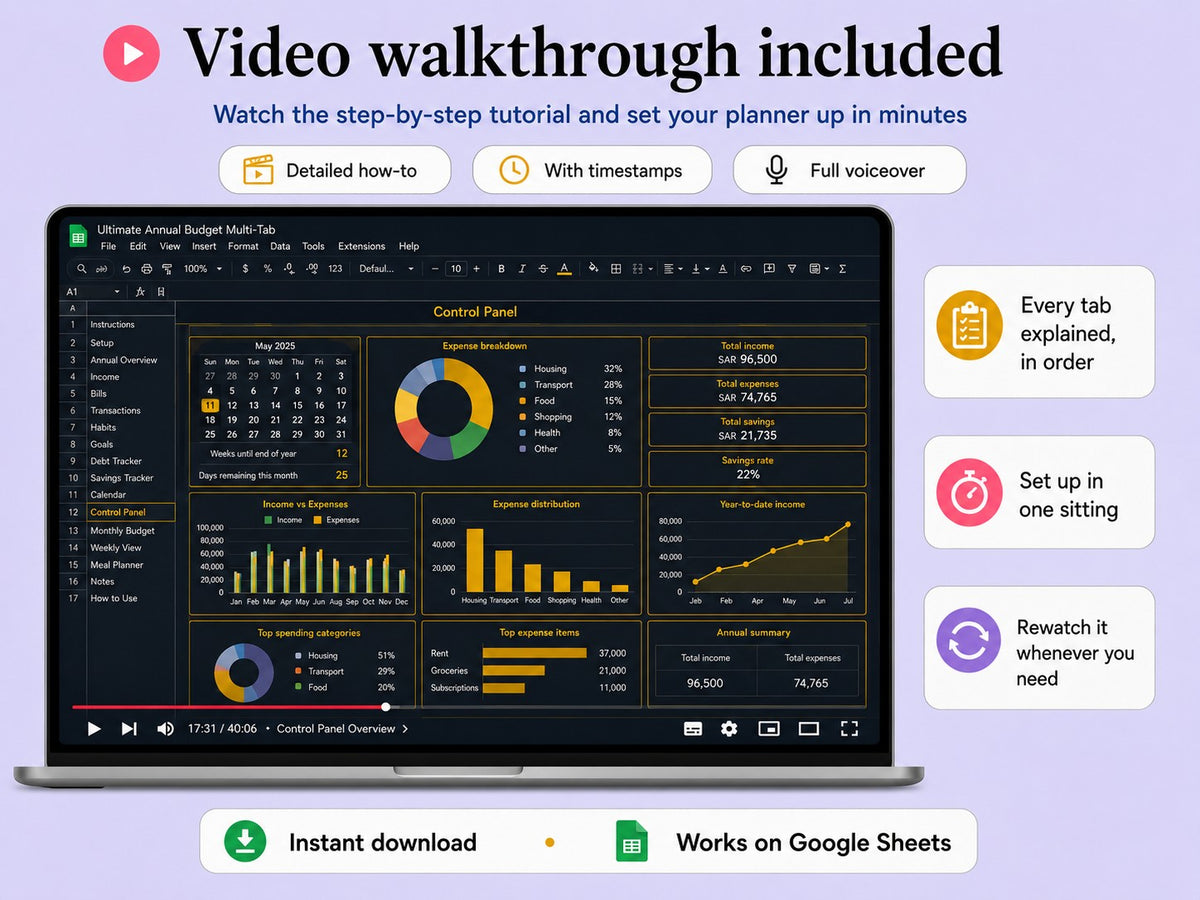
Complete your order through a secure checkout, in seconds.
A Google Sheets link reaches you straight after payment.
Copy the file to your own Google Drive and start organising your year.